
Track your money. Skip the spreadsheet.
Add a transaction. Kibo figures out the category. You see where your money goes.






However fast you want to log it.
Type it.
Tap the plus button, type the amount, name it. Done in five seconds.
Snap a receipt.
Photo of the receipt. Kibo reads the total, the merchant, and the date. On Android you can also share a PDF or a bank alert straight into Kibo.
Say it.
"Six fifty at the bakery." That's a transaction.
Watch it work.
Real screen recordings. No mockups, no cuts.
A photo becomes a transaction.
Pick a receipt from the gallery. Merchant, amount, category and even the printed date come out of the photo.
Type five letters. That's it.
Write "Sushi" and the category is picked before you finish. Save and the row drops into your day.
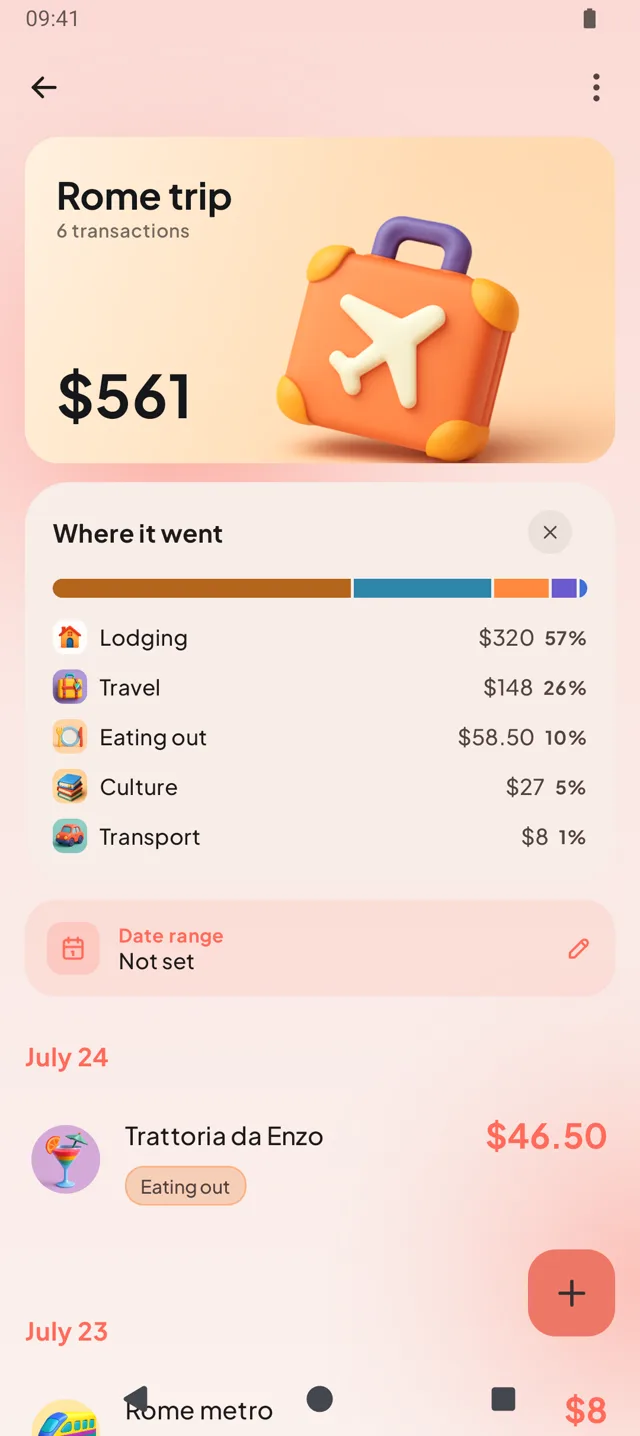
The trip gets its own Space.
A week in Rome lives apart from your month, with its own total and breakdown.
Never get surprised by a recurring charge again.
Every subscription and fixed bill in one tab: what renews this week, what the month costs, and a reminder a day before each charge.
Each subscription keeps its charge history, so you can see what Netflix has really cost you since you signed up.
You add the subscriptions. Kibo doesn't touch your bank or cancel for you. That part is between you and the provider.
 Rome trip
 New flat
 Baby
Baby
Big moments get their own wallet.
A Space groups everything one thing costs: a trip, a move, a wedding, a new baby.
Its expenses stay out of your monthly total, so a week in Rome doesn't read like a grocery problem. Open the Space and you get its own total, timeline and category breakdown.
Know where the month went.
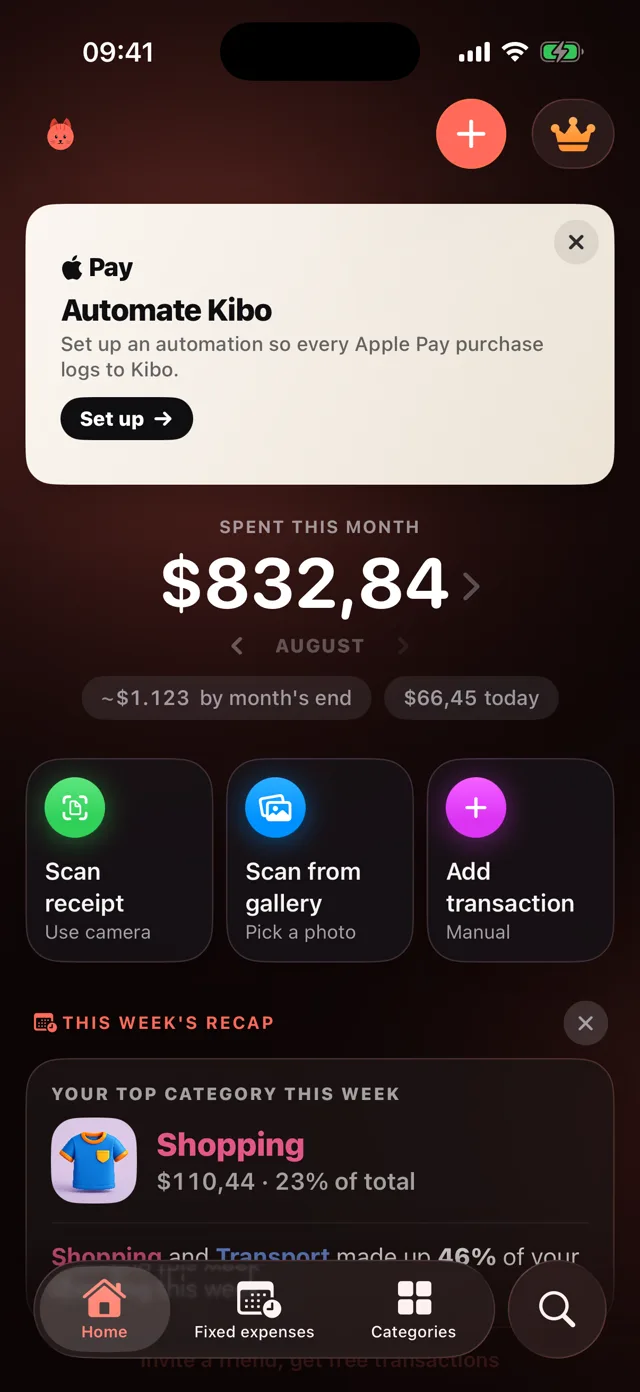
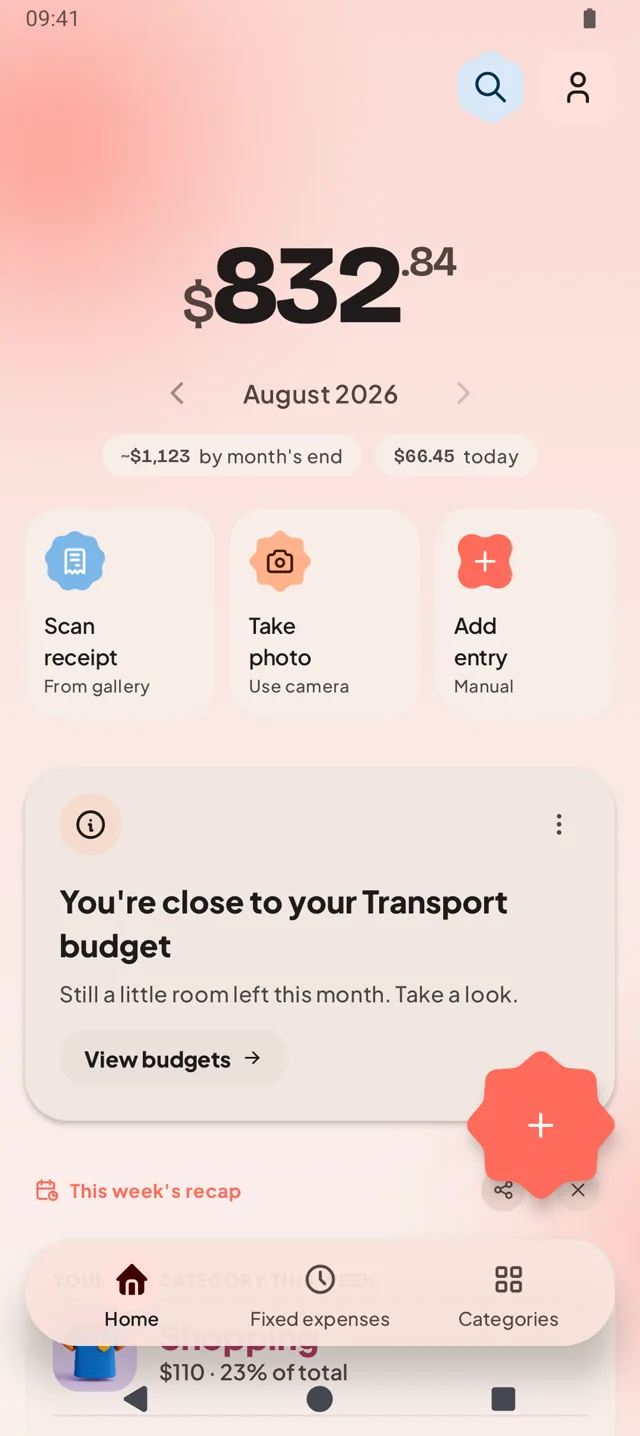
Donut, bars or trend line: every category with its share of the month, compared against the last one.
- A pace forecast on the home screen: "At this pace: ~€1.130 this month."
- Per-category budgets that warn you before you go over, not after.
- Category history up to 24 months back, per currency.
The boring parts, handled.
Works offline
No signal in the metro? Entries queue on the phone and sync when you're back. Nothing is lost, nothing is doubled.
Import your bank CSV
Bring months of history in one file. Kibo reads it, categorizes every row, and skips anything you already logged.
Home-screen widgets
Log an expense from the home screen without opening the app, and keep the month's total in sight.
A recap that reads itself
Your week in one card on the home screen: top category, where the money concentrated, and how it compares.
Income too
Track what comes in next to what goes out, and see the month's net at a glance.
Five languages
English, Spanish, Hindi, Russian and Filipino, with AI suggestions in your language.
Your bank stays out of it.
Kibo never asks for your bank credentials. You add what you spent. Your data travels encrypted, is never sold, and you can delete all of it whenever you want.
- 45 transactions a month
- Up to 3 active subscriptions
- Every feature, no ads
- Unlimited transactions
- Unlimited receipt scans
- Unlimited subscriptions and Spaces
- Everything in Premium
- No renewals, ever
Prices for Spain. Your app store shows local pricing for your country.
Stop wondering where the money went.
Install Kibo. Add a transaction. See it categorize itself.